
Last updated: August 3, 2026
Quick Answer
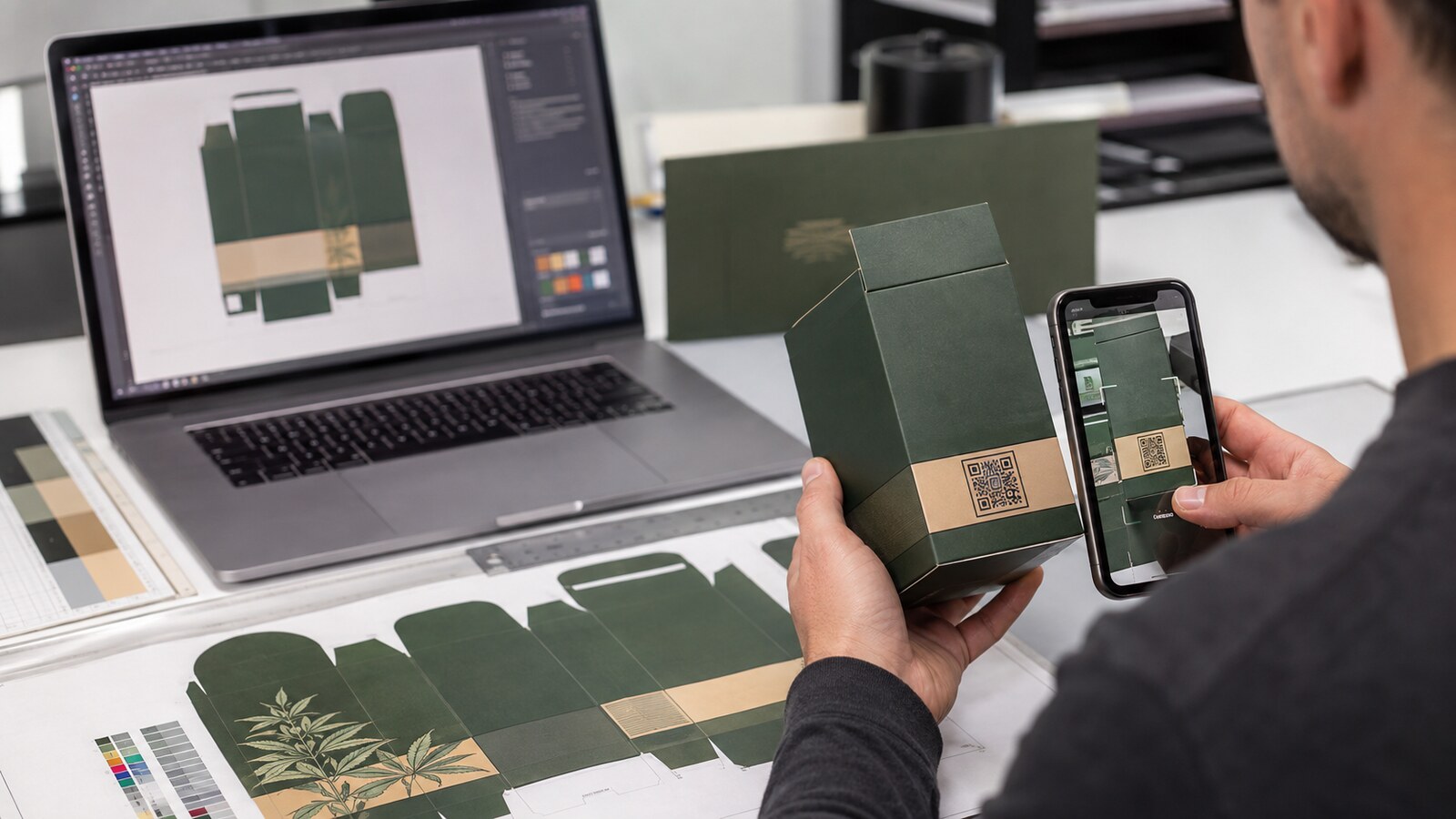
A cannabis packaging QR code should not go to print until the team has verified four things: the destination is permitted for the target state, the linked Certificate of Analysis matches the physical package's batch or lot, the code scans from the finished package rather than only from a screen, and the destination will remain available for the product's full market life. Test an assembled production sample on several phones under ordinary retail lighting. Check matte, gloss, foil, folds, curves, seals, and variable labels. Keep required on-pack information on the package whenever local rules demand it; a QR code is not a universal substitute for warnings, symbols, potency, or identity statements.
A QR code can fit a laboratory report, traceability page, ingredients, or product education behind a small square of ink. It can also create a deceptively expensive failure. A code that worked in the design file may become unreadable after lamination. A generic COA page may not prove which batch is inside the box. A link-shortening service can expire while finished inventory is still on dispensary shelves.
The solution is not simply to make the square larger. Brands need a documented workflow connecting regulation, batch data, artwork, printing, physical packaging, web hosting, and post-launch monitoring. This guide provides that workflow for U.S. cannabis and hemp packaging teams. It is operational guidance, not legal advice; requirements vary by product and jurisdiction.
Decide What the QR Code Is Supposed to Do
Start with one sentence that defines the code's primary job. “Add a QR code” is not a usable specification. “Open the batch-specific COA for the lot printed beside this code” is. Other legitimate jobs may include opening a state-required product information page, providing a digital instruction guide, authenticating a package, or connecting a retailer to controlled product records.
Do not mix unrelated jobs behind an unclear landing page. A shopper looking for a COA should not have to navigate a promotional home page, accept a newsletter pop-up, or guess which batch to select. If the code is labeled for laboratory results, the first screen should make those results obvious and should identify the matching product and batch.
Choose static, batch-variable, or resolver-based architecture
- Static product-page code: Every package uses the same URL. It is easy to preprint but requires a reliable batch selector or another way to reach the correct record.
- Batch-specific code: Each lot uses a different code that opens its corresponding COA or record. Matching is clearer, but variable printing and verification must be controlled for every batch.
- Managed resolver: A stable printed URL routes through a domain the brand controls, then resolves to the current record. This allows destination maintenance without changing the printed symbol, but only if access controls and redirects are managed carefully.
Use a domain controlled by the licensed business or an accountable long-term provider. Avoid free shorteners, personal cloud-drive links, expiring file shares, and URLs owned only by a temporary agency. The printed code may outlive the employee, laboratory portal, or campaign that created it.
Check State Rules Before Building the Link
There is no single U.S. cannabis QR rule. Some jurisdictions allow a code to provide specified information, some require a scannable path to a COA for particular products, and some prohibit using off-package digital content as a substitute for required physical labeling.
For example, Connecticut's official guidance for THC-infused beverages calls for a scannable barcode, website address, or QR code linked to the laboratory COA. Maryland guidance identifies information that may be provided through a QR code, while keeping warnings, disclaimers, and the universal symbol on the outer marketing layer. California warns that QR codes and websites are not acceptable supplemental labeling methods when required information must be attached to the product. New York's current packaging and labeling training materials discuss direct-print and lot-specific sticker approaches and stress verifying variable information each time.
Review the current official sources for every intended market: Connecticut THC-infused beverage labeling, Maryland packaging and labeling guidance, California manufactured-product labeling guidance, and New York's 2026 packaging and labeling training.
Create a permission-and-substitution register
For each state and product format, record: whether a QR code is required, permitted, or optional; what it may contain; what it cannot replace; any nearby label or caption; placement and permanence rules; record-retention expectations; and the official source with a review date. Never convert “may include” into “must include,” or assume a requirement for one product category applies to every cannabis or hemp product.
Build a Batch-to-COA Data Map
The central control is not the graphic; it is the relationship between the physical unit and the digital record. Build a data map before generating any codes.
- Assign the sellable SKU and product name used on the package.
- Capture the production batch or lot exactly as it will print.
- Record the laboratory sample ID separately; do not assume it is the same as the production lot.
- Identify the final COA, its revision status, laboratory, test date, and approval owner.
- Create the destination URL and state whether it is direct, a product-level selector, or a managed resolver.
- Scan the code and compare the opened record character-for-character with the package batch.
- Freeze the approved mapping with the artwork version and packaging production order.
If a COA is replaced after retesting, preserve an audit trail. Do not silently point an old batch code to a report for a different lot. The public page should make the matching batch easy to identify without revealing confidential internal data.
Seven QR Code Failure Modes to Catch Before Print
- The right code opens the wrong batch. The symbol scans perfectly, but a spreadsheet merge, copied artwork layer, or relabeled production run points to another COA.
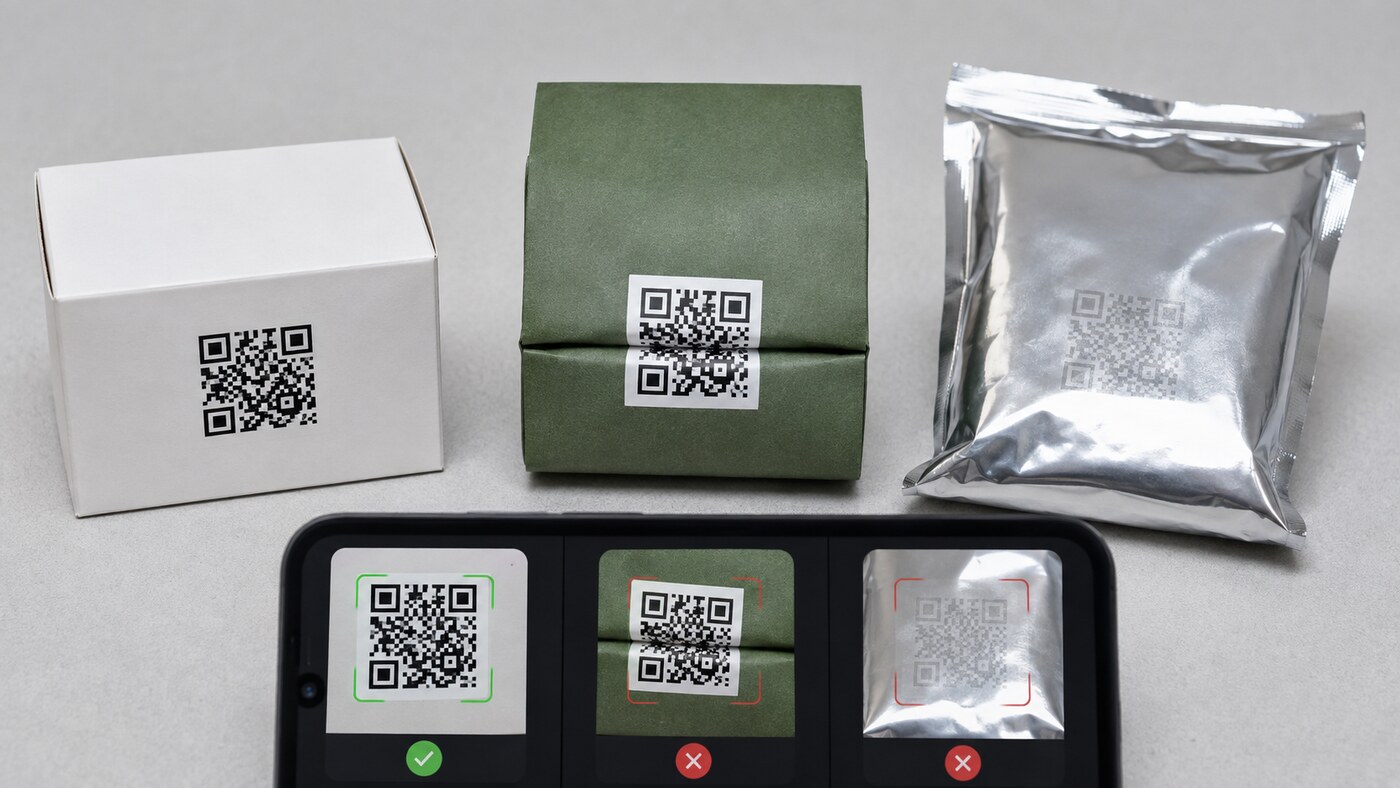
- The code crosses a structural interruption. Scores, folds, perforations, zipper tracks, seams, tear notches, rounded corners, and carton edges distort the module pattern.
- The finish changes contrast. Gloss varnish, metallic foil, holographic film, soft-touch coating, transparent material, or a dark substrate can produce glare or reduce edge definition.
- The quiet area is invaded. Artwork, text, a border, dieline marks, or a variable label crowds the clear space around the code.
- The code is scaled incorrectly. A designer resizes a raster image, a printer downsizes the panel, or a long encoded URL creates modules too small for the chosen process.
- The digital destination fails. The URL redirects repeatedly, requires a login, opens an expired file share, shows a security warning, loads poorly on mobile, or returns a 404.
- The code is covered in real operations. A batch sticker, tamper seal, retail price label, pharmacy label, or carton sleeve blocks part of the printed symbol.
The Eight-Step Prepress Testing Workflow
1. Freeze the market and information scope
Name the states, product type, package layers, required on-pack information, permitted digital information, and responsible licensee. A national-looking master artwork file is not proof that one label is acceptable in every market.
2. Freeze the destination
Open the URL directly before generating the code. Confirm HTTPS, public access, mobile layout, correct product, correct batch, complete document, and a support contact. Remove tracking parameters unless they are deliberately required and stable.
3. Generate a production-grade symbol
Use a vector file or a high-resolution, one-color source appropriate for the printer's workflow. Keep strong dark-on-light contrast and a clear quiet area. Do not place decorative graphics inside the code or rely on a stylized center logo unless the complete printed sample has passed verification.
4. Check the dieline
Measure the final printed size, not the size shown on an enlarged monitor. Keep the code away from folds, cuts, glue, seams, perforations, foil registration risk, and high-curvature areas. Confirm which artwork layer is static and which fields change by batch.
5. Print at actual size
Print a 100% scale proof. A laser office proof is useful for layout but does not predict the final substrate, ink spread, varnish, embossing, or lamination. Require a production-representative printed sample before releasing the full run.
6. Assemble the package
Fold the carton, fill the pouch or container, apply seals and variable labels, close the package, and place it in any outer sleeve. Test the code in its final geometry, not as a flat sheet.
7. Run a device-and-light test
Use several current iOS and Android phones, including at least one older device. Scan at typical hand distance under bright retail lighting, indirect daylight, and lower indoor light. Try normal viewing angles rather than aligning the camera perfectly.
8. Approve and retain evidence
Archive the approved code file, URL, destination screenshot, batch mapping, dated device results, physical proof photos, printer specification, artwork checksum, and named approvals. Retain a finished sample from the production run.
QR Code Acceptance Matrix
| Test area | Pass condition | Reject or escalate when | Evidence to retain |
|---|---|---|---|
| Regulatory role | Use is permitted and on-pack fields remain where required | The code is being used to hide or replace mandatory physical content without authority | State register and official source date |
| Batch match | Package lot, destination, and COA match exactly | A generic page leaves the batch ambiguous or opens a different record | Approved batch-to-URL mapping |
| Print quality | Modules are sharp, high contrast, undistorted, and surrounded by clear space | Ink spread, glare, texture, or artwork reduces recognition | Production proof and printer settings |
| Package geometry | Code remains flat and visible after filling, sealing, and labeling | Fold, curve, seam, sticker, or damage blocks the pattern | Assembled sample photos |
| Device test | Multiple phones scan promptly in representative lighting | Scanning requires repeated attempts or perfect alignment | Device, lighting, distance, and result log |
| Destination | HTTPS page is public, mobile-friendly, direct, and maintained | Login, warning, expired share, excessive redirect, or 4xx/5xx response | URL and dated screenshot |
Set the acceptance standard before the printer sends a proof. “It scanned once on my phone” is not a release criterion. A failure in batch identity or regulatory substitution is more serious than a cosmetic defect even if the symbol scans instantly.
Stress-Test the Finished Package
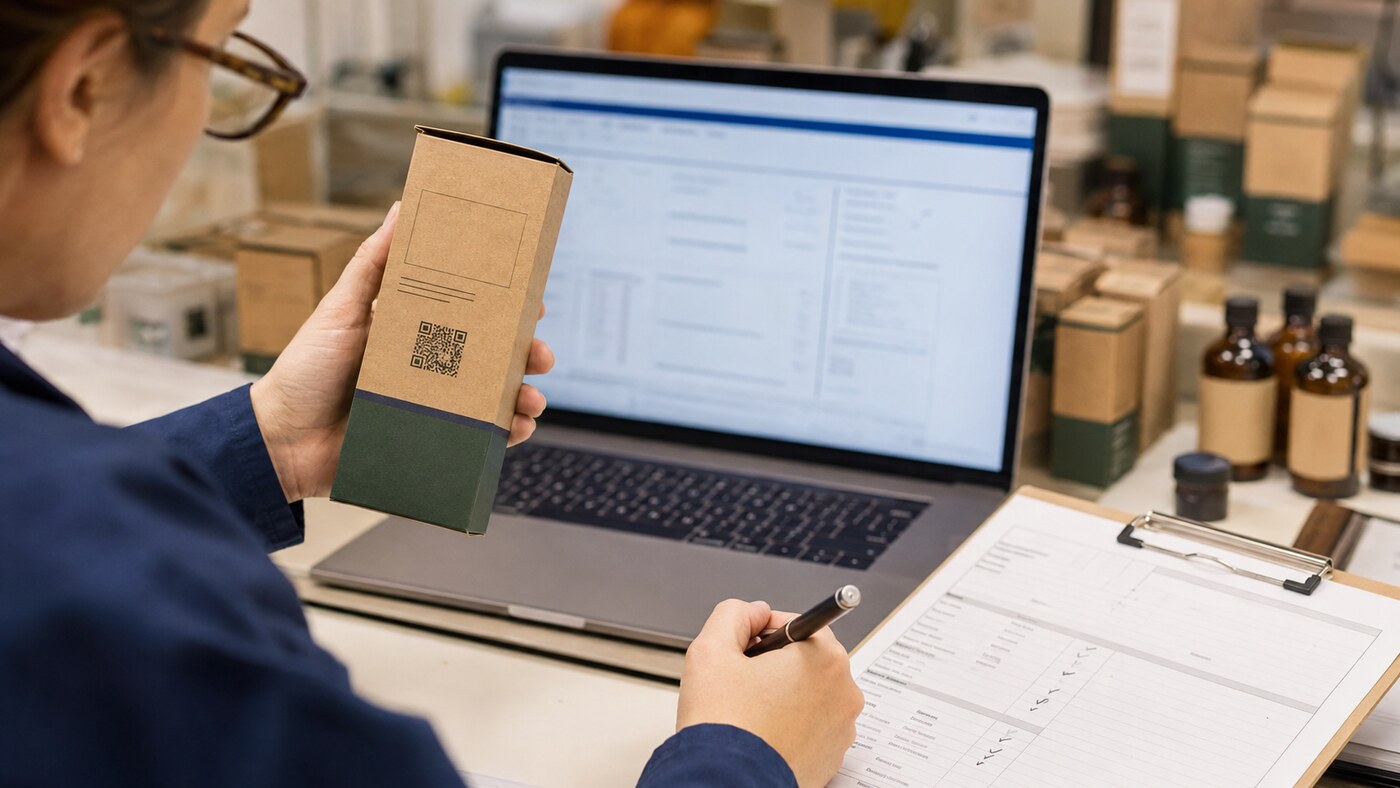
Test more than a pristine first-off sample. Rub the printed area with dry fingers and with the handling method used during packing. Flex a filled pouch. Open and reclose reclosable packaging. Apply the actual tamper seal and retail label. Place cartons in a shipper, then inspect samples from the center and edges of the case after normal handling.
For cold, humid, refrigerated, or high-glare retail environments, condition representative packages before scanning. Condensation, scuffing, laminate lift, and curved containers can change readability. Shelf-life and transit testing should be designed with the product, material supplier, printer, and qualified laboratory when relevant; a QR scan test does not establish barrier performance or product stability.
Use a blind handoff test
Give the finished package to someone outside the artwork team. Ask the person to find the laboratory result without instructions, identify the batch on both package and COA, and report any mismatch. This catches unclear captions, buried links, confusing product selectors, and assumptions that the project team no longer notices.
Plan the QR Panel With the Package Structure
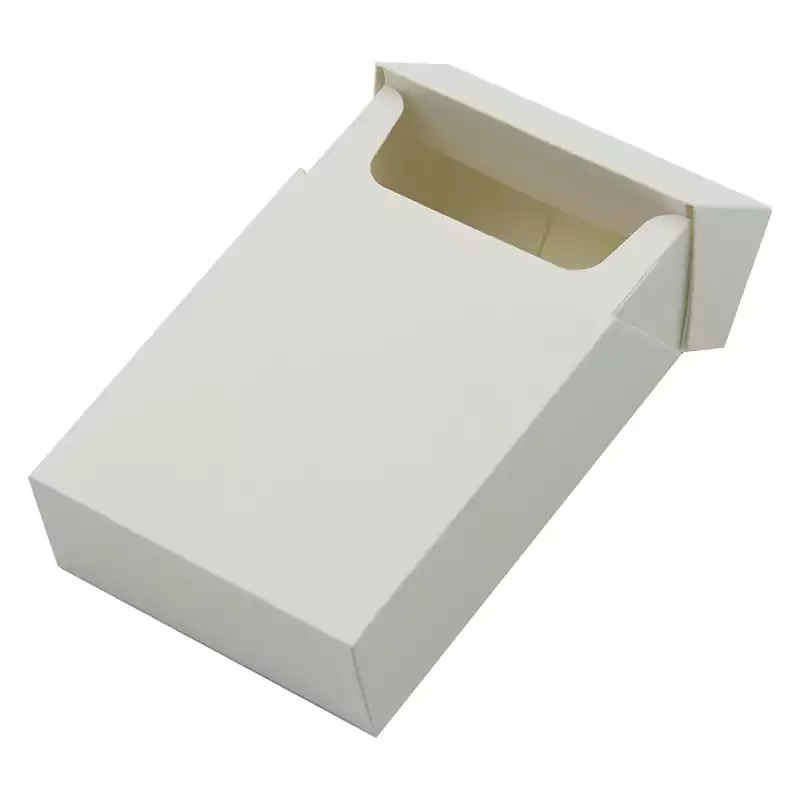
Reserve the QR panel while selecting the structure, not after the artwork is full. A flat paperboard panel can provide predictable geometry and a clean contrast area; a flexible pouch may need a protected flat zone away from zippers and gussets; a narrow tube or small carton may require a carefully placed label or a secondary panel.
Review the site's current child-resistant packaging category when access performance is required, the pre-roll packaging category for cartons and pre-roll formats, and the broader cannabis packaging catalog when comparing structures. Confirm the real printable panel, dieline, material, finish, closure, test documentation, and physical sample before committing artwork.
A package category or appearance does not prove child resistance or compliance. Request documentation for the exact configuration being purchased. The QR code also does not replace child-resistant performance, tamper evidence, product protection, or any mandatory physical label content.
Keep the Destination Working After Launch
Printing is not the end of ownership. Assign a named owner and check live codes at release, after the first retail shipment, whenever a COA is revised, after a website migration, and on a recurring schedule while inventory remains in circulation.
- Monitor HTTP errors, certificate expiration, redirect chains, and mobile loading.
- Keep old batch records available for the required retention period and a reasonable product-use window.
- Do not recycle a batch URL for a new lot.
- Document every destination change, the reason, approver, time, and affected packaging run.
- Maintain an alternate consumer-support path if a phone cannot scan the code.
- Plan domain renewals and provider access so the code survives staff or agency changes.
If a live code opens the wrong COA, treat it as a controlled quality incident. Quarantine affected inventory where appropriate, preserve evidence, determine scope, consult the responsible compliance team, and follow applicable correction, notification, recall, or relabeling requirements. Do not quietly switch the destination and erase the history.
Questions for Your Printer and Packaging Supplier
- What is the final usable flat area after scoring, folding, gluing, sealing, and label application?
- Which substrate, ink, coating, lamination, foil, and curing process will touch or surround the QR panel?
- What minimum module size and clear area does your production process support reliably?
- Will you accept vector artwork, and will any workflow rasterize or resample the code?
- Can variable codes be camera-verified against the supplied batch database during production?
- How will duplicates, unreadable codes, sequence gaps, and mismatched data be rejected?
- Can we approve a printed and fully assembled production sample before the full run?
- What scan-verification records and retained samples will be provided with the lot?
- How are artwork revisions, plates, digital files, and variable-data sources version controlled?
For the broader vendor evaluation process, see the site's guide to choosing a cannabis packaging supplier. Consumers and retail teams can also use the related guide on reading cannabis labels, batch codes, and COAs.
Frequently Asked Questions
Are QR codes required on all cannabis packaging in the United States?
No. Requirements differ by state, product category, and program. A code may be required, permitted, optional, or unacceptable as a substitute for certain physical label information. Check current official rules for every intended market.
Can a cannabis packaging QR code replace required warnings?
Do not assume it can. Many rules require warnings, symbols, identity, potency, or other information directly on or affixed to the package. California specifically states that QR codes and websites are not acceptable supplemental labeling methods for required information that must remain with the product.
Should the QR code link directly to the COA?
A direct batch-specific link can reduce ambiguity where it is permitted. If the code opens a product-level page, the matching batch must still be easy to locate. Follow jurisdiction-specific rules about acceptable destinations and information.
What should match between the package and COA?
At minimum, verify the product identity and exact batch or lot relationship. Also check the laboratory, sample identifiers, test date, report status, and other program-required details. Do not confuse an internal SKU, laboratory sample ID, and production lot.
How large should a QR code be on cannabis packaging?
There is no safe universal size independent of encoded data, module count, print process, substrate, finish, camera, distance, and local rule. Use the printer's production specification, preserve a clear quiet area, and validate the code at final size on the assembled package.
Can a QR code be printed over foil or a glossy coating?
It may scan under some conditions, but glare and low contrast create avoidable risk. Prefer a flat, high-contrast area. If the design uses foil, gloss, transparent film, or texture, require production-representative samples and test under multiple lighting angles.
Can we place a QR code across a carton fold?
Avoid it. Folding can split modules, change geometry, scuff ink, and create shadows. Reserve a flat panel clear of scores, cuts, glue, perforations, and labels.
Should we use a dynamic QR code?
A managed resolver can let an authorized team maintain destinations while preserving a stable printed code. It also adds vendor, account, redirect, and audit risks. Use a domain and system the business controls, log changes, and never redirect an old batch to an unrelated record.
How many phones should be used for testing?
Use multiple current iOS and Android devices and include at least one older phone. Test realistic lighting, angle, distance, and package condition. Define the device matrix in advance rather than accepting a single successful scan.
What records should be kept after approval?
Keep the final code asset, printed URL, state review, batch-to-COA mapping, artwork version, destination screenshot, device test log, printer specification, approval record, production information, and a retained finished sample.
Get Packaging Guidance
Share your product format, target states, package dimensions, finish, QR purpose, and artwork stage. The packaging team can help identify an appropriate structure, printable panel, dieline, and physical sampling path for your regulatory and quality review.